Add Contract
Add Service Contract
The Contracts tab is where you manage individual contractual documents that are tied to broader Agreements with vendors or resellers. Contracts provide more specific, actionable details that fall under the scope of a master agreement.
tip
Before proceeding, it's recommended to review the Service Contract Details page for more context on contract terms, billing rules, and configuration options.
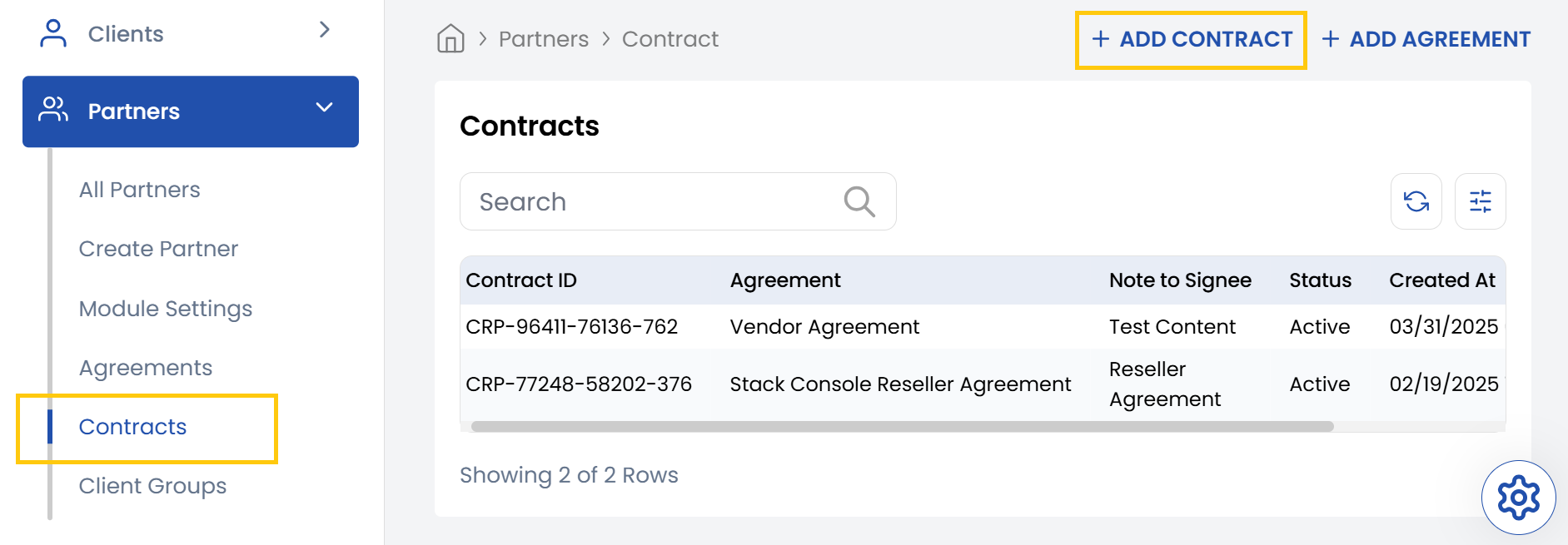
- From the left-hand side menu, select the Partners section. Navigate through the sub-sections and click on Contracts tab to view the existing contracts.
- To create new contract, click on Add Contract on the right-hand side of the page.
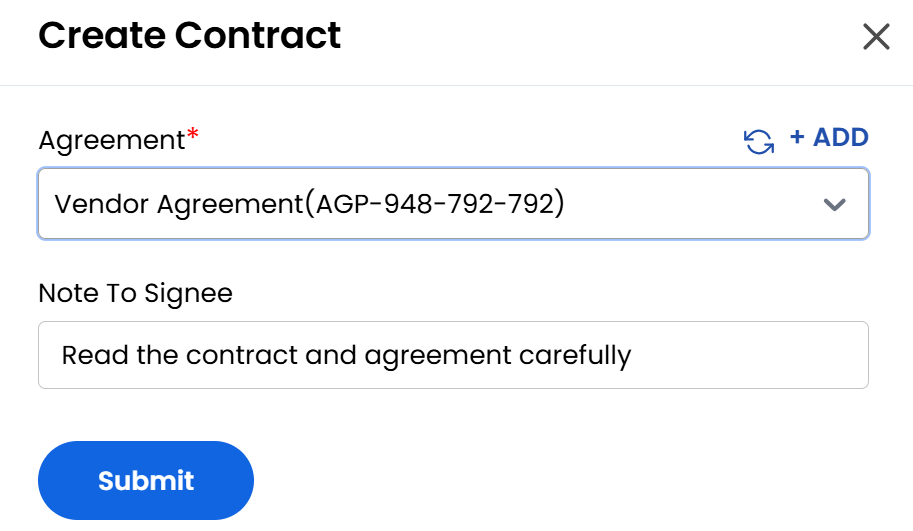
- Select the Agreement which will be linked to the contract. Add any important instructions or details regarding signing the contract in Note to Signee box.
- Click Submit to create the new contract associated with agreement.
Conclusion
Thi tab provides a quick and intuitive way to create specific contracts under broader agreements. It ensures every contract is clearly tied to an agreement, with signing instructions properly documented.